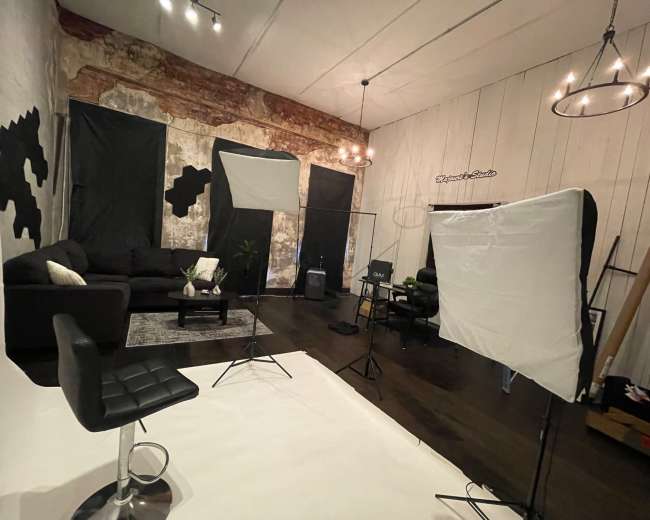
Rent a podcast studio in Columbia, SC

Discover thousands of unique podcast studios for rent for your next recording.

Enter your activity
Columbia, SC

How podcast rooms work on Peerspace

Peerspace is the easiest way to book unique for all kinds of productions including photo shoots, film shoots and music videos. We also have spaces for meetings and events.

The most locations

Every day we uncover new, inspirational spaces, including podcast rooms, perfect for your activity.

Professional hosts

Our network of helpful hosts respond quickly, and are well-versed in accommodating all types of productions, including film and photo shoots.

Hire by the hour

Only pay for what you need. Pay by the hour for your podcast room location without worrying about hidden fees or overtime.

Popular podcast studios

What does a podcast studio cost in Columbia, SC?

A podcast studio in Columbia, usually falls into three pricing tiers, but your true budget depends on more than the hourly rate.
  • Entry-level spaces: Around $40 to $65 per hour. These rooms are often best for simple audio recording, solo episodes, or creators who already know how to run a basic setup.
  • Mid-range studios: Around $65 to $100 per hour. This is often the best fit if you want a more polished room, better sound control, stronger lighting, or a setup that works for both audio and video.
  • Full-service or premium studios: Around $150 to $200 per hour. These spaces usually make sense when you want multiple cameras, production support, a stronger on-camera look, or a more premium guest experience.
When comparing studios, focus on total session cost, not just the base rate. In Columbia, many studios require a one-hour or two-hour minimum, and some production-focused spaces need longer bookings. A room that looks affordable at first can still cost more if you need extra time for setup, guest arrival, sound checks, camera checks, or retakes. Browse listings to compare pricing, amenities, and minimum booking requirements side by side. A practical way to budget is to plan around your recording format:
  • Simple audio interview: A two-hour booking is often enough if the room is already set up and you're recording one straightforward conversation.
  • Video podcast with one guest: Plan for at least two to three hours if you want multiple camera angles, a sound check, and time for clean intros and outros.
  • Batch recording day: A half-day booking often delivers better value if you want to record several episodes in one session.
It's also smart to ask about add-ons before you book. Extra costs often include editing, short social clips, extra microphones, additional cameras, engineering help, or overtime if your session runs long. If you're hosting guests, you may also want to budget for parking reimbursement, bottled water, or light hospitality. Pro tip: If you book through Peerspace, message the host before you request the space and ask them to map out your full timeline, including arrival, setup, mic check, recording, pickups, and teardown. Your booking should cover the whole session, not just the time you're actively recording.

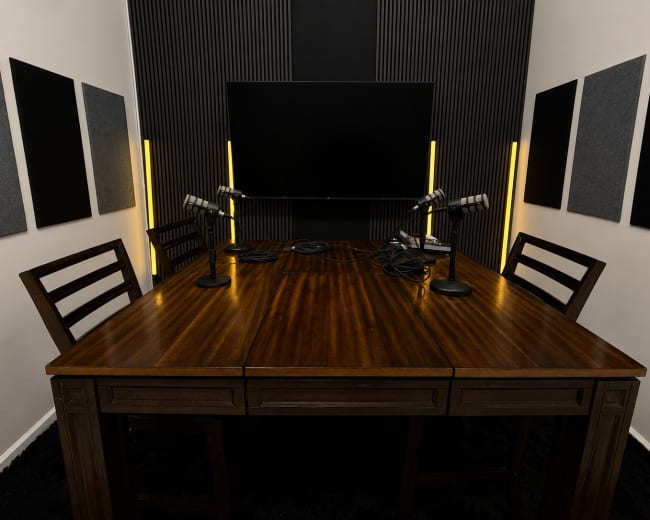
Can beginners book a studio without technical experience?

Yes. Many people searching for a podcast studio in Columbia are beginners who want a smoother, less stressful way to record. Most first-time creators aren't looking for an empty room. They are looking for a setup that removes technical friction. A beginner-friendly studio should help you get the microphones working, confirm the sound is clean, and make the process feel manageable from the moment you arrive. If you're new to podcasting, look for a podcast studio that feels plug-and-play instead of fully DIY. The best beginner options usually include some combination of the following:
  • Onboarding help: Someone explains the room, the gear, and the recording flow before you begin.
  • Equipment included: You don't need to bring your own microphones, lights, cameras, or accessories.
  • Simple setup: The chairs, mics, and camera framing are already dialed in.
  • Staff support: A host, producer, or engineer is available if something goes wrong.
  • Clear deliverables: You know whether you're leaving with raw files, finished files, or both.
It helps to separate studios into two simple categories before booking:
  • Plug-and-play studios: Best for beginners because you can walk in, get guided, record, and leave with a lower chance of technical mistakes.
  • Blank-canvas spaces: Better for experienced creators who already have a videographer, audio engineer, or established production workflow. If you fall into this category, you may also want to find recording studios that offer more flexibility for custom setups.
Before you commit, send the host a short list of questions:
  • Will someone help us get started when we arrive
  • Are the microphones and cameras already set up
  • Do we need to bring headphones, memory cards, or anything else
  • Can you show us how to start and stop the session
  • What files do we get after recording
  • Is editing available if we don't want to handle it ourselves
A beginner-friendly podcast studio should answer these questions clearly and quickly. If the response is vague, or the listing focuses more on the look of the room than the support you'll receive, that usually means the space expects you to know more than you do.

How do I know if a studio is good for video podcasts?

A good video podcast studio needs to do two things well at the same time: sound good and look good on camera. That balance matters because a room can photograph beautifully and still produce echo, or it can sound excellent but look flat and uninspiring on video. The best podcast studio for video in Columbia is the one that supports both audio quality and visual quality without forcing you to compromise. Use this checklist when comparing studios:
  • Sound control: Look for signs of sound treatment, dampening materials, a quiet location, or reviews that mention clean audio.
  • Camera readiness: A strong video podcast room should have enough depth for multiple camera angles, not just one tight shot against a wall.
  • Lighting quality: Good lighting should be flattering and adjustable, not harsh overhead office lighting.
  • Background appeal: The set should match your brand, whether you want a polished, cozy, modern, creative, corporate, or conversational look.
  • Seating and layout: Make sure the room fits your format, whether that's solo recording, two chairs, a roundtable, or a guest interview.
  • Gear support: Confirm whether cameras, lights, monitors, or switching support are included or whether you need to bring your own team.
  • Clip potential: If you want short-form content for Instagram, TikTok, LinkedIn, or YouTube Shorts, the framing should still look strong when cropped vertically or horizontally.
A simple rule is to book the shot, not just the room. If your format is interview-driven, check out spaces for interviews so you can evaluate locations specifically designed for that setup. That means you should review listing photos like a producer. Look for visible camera angles, microphone placement, background depth, practical lighting, and examples of how people actually appear in the space. If a listing only shows empty corners or wide room shots, ask for sample footage or closer visuals before booking. You can also explore video studios to compare rooms that are already optimized for on-camera production. One of the best questions to ask is this: what will the final footage look like straight out of this room? The answer usually tells you more than a generic description of the space.

Which Columbia areas are easiest for guests and parking?

The best Columbia location for a podcast studio depends on the guest experience you want to create. If convenience, familiarity, and a more professional feel matter most, downtown Columbia is often the easiest place to start. It's generally easier for guests to recognize, and it works well if you want to pair the session with coffee, lunch, or a business meeting before or after recording. If a lower-stress arrival matters more than a central location, neighborhoods and edge-of-core areas can be easier. Rosewood, Shandon, Dentsville, and NE Columbia may appeal to guests who want a simpler drive, less downtown navigation, or a more relaxed arrival experience. The tradeoff is that convenience varies more by property than by neighborhood. That's the key point in Columbia: the exact building usually matters more than the area name alone. Before booking a podcast studio, ask the host these logistics questions:
  • Parking setup: Is there a dedicated lot, free on-site parking, or only street parking?
  • Guest count: How many cars can realistically fit without creating stress?
  • Building access: Is the entrance easy to find for first-time visitors?
  • Load-in flow: Can you unload gear close to the door?
  • Timing: Do parking rules change after business hours?
  • Accessibility: Is there an elevator, ramp, or step-free route if a guest needs one?
If your guest is busy, nervous, or short on time, choose the easier arrival over the trendier room. A beautiful podcast studio loses value quickly if your guest spends fifteen minutes circling for parking and walks in already flustered. This becomes even more important if your recording feels closer to a small production than a simple interview. If you have a producer, photographer, makeup artist, team members, or a small audience, access and parking become part of the production quality. For larger setups like these, you may want to find filming locations that offer dedicated load-in access and ample parking.

Should I rent a studio or record at home or outdoors?

The right choice depends on your goals, your format, and how polished you need the final result to be. If your main goal is to practice, test your idea, or get comfortable speaking on mic, recording at home can be a smart starting point. It's affordable, convenient, and especially useful for solo episodes or early experiments. If your goal is to sound more credible, look more polished, host guests confidently, or build a repeatable content system, a podcast studio is usually the better option. A simple way to decide is this:
  • Choose a studio if: You're interviewing guests, filming video episodes, building a business brand, pitching sponsors, or creating content you want to reuse across platforms.
  • Choose home if: You're still testing your concept, recording solo, or keeping costs lean while you find your voice.
  • Avoid outdoors for core episodes if: Clean audio, consistency, and guest comfort matter. Outdoor recording can look great, but wind, traffic, ambient noise, heat, and general unpredictability usually make it the hardest option.
This matters in Columbia because podcasting is not just a hobby category. Projects like Historic Columbia show how podcasting can strengthen public credibility and long-form storytelling. If your show represents your brand, organization, or professional reputation, the setting matters. A podcast studio also removes hidden friction. You're not hanging blankets, muting appliances, moving furniture, or hoping outdoor noise doesn't ruin your intro. A controlled recording environment usually leads to a cleaner final product. For many creators, the strongest middle-ground approach is simple: practice at home, then book a podcast studio for higher-stakes episodes. That often includes guest interviews, launch episodes, quarterly batch days, and content tied to business development or marketing. If you're planning a batch recording day or a more ambitious content shoot, you can also consider content houses that offer flexible spaces designed for extended creative sessions.

What happens after I record in a Columbia podcast room?

Recording isn't the finish line. It's the point where your raw content becomes a workflow. What happens after your podcast studio session determines whether you end up with one episode or a full set of content assets you can publish, promote, and repurpose. A strong post-recording workflow usually looks like this:
  • Back up the files immediately: Save everything in at least two places before you begin editing or transferring files.
  • Decide on your format: Choose whether you're publishing full audio, full video, or both.
  • Edit for clarity: Clean up pauses, mistakes, audio levels, and awkward transitions.
  • Create short clips: Pull strong moments for social media, email marketing, and promotion.
  • Write packaging assets: Prepare your title, episode description, show notes, and thumbnail direction.
  • Publish with a plan: Upload to your podcast host, YouTube, or both, then schedule promotion around the release.
  • Repurpose the session: Turn one recording into quote graphics, teaser clips, newsletter copy, and follow-up posts.
  • Review the production: Note what worked, what felt rushed, and what to change before your next studio session.
If you book a full-service podcast studio, some of this may be available as an add-on. If you book a dry-hire room, your next step may be finding an editor, audio engineer, or local videographer to help finish the project. This matters because many Columbia creators are using podcasts to build authority and feed multiple marketing channels, not just to publish a single episode. The local ecosystem already includes podcasts across business, sports, arts, and community storytelling. The most useful mindset is to book the room with the full workflow in mind. Before recording day, make sure you can answer these questions:
  • What files will I receive?
  • Who is editing this?
  • How many clips do I want from each session?
  • Where will this episode live?
  • How will I promote it once it's done?
When you plan those answers in advance, a podcast studio becomes more than a room. It becomes the starting point for a repeatable content system.
Updated August 9, 2026Our data is refreshed in real time using booking trends, verified guest reviews, and direct partner updates — with additional quality checks from our team.