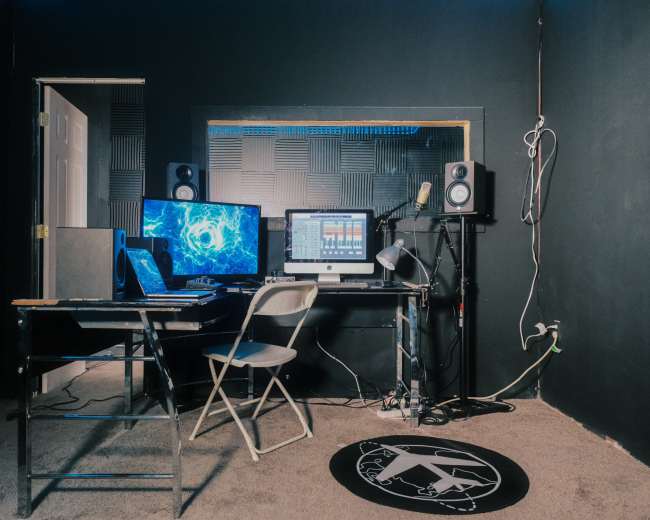
Rent a podcast studio in Detroit, MI

Discover thousands of unique podcast studios for rent for your next recording.

Enter your activity
Detroit, MI

How podcast rooms work on Peerspace

Peerspace is the easiest way to book unique for all kinds of productions including photo shoots, film shoots and music videos. We also have spaces for meetings and events.

The most locations

Every day we uncover new, inspirational spaces, including podcast rooms, perfect for your activity.

Professional hosts

Our network of helpful hosts respond quickly, and are well-versed in accommodating all types of productions, including film and photo shoots.

Hire by the hour

Only pay for what you need. Pay by the hour for your podcast room location without worrying about hidden fees or overtime.

Popular podcast studios

How do I pick a Detroit studio that looks good on video?

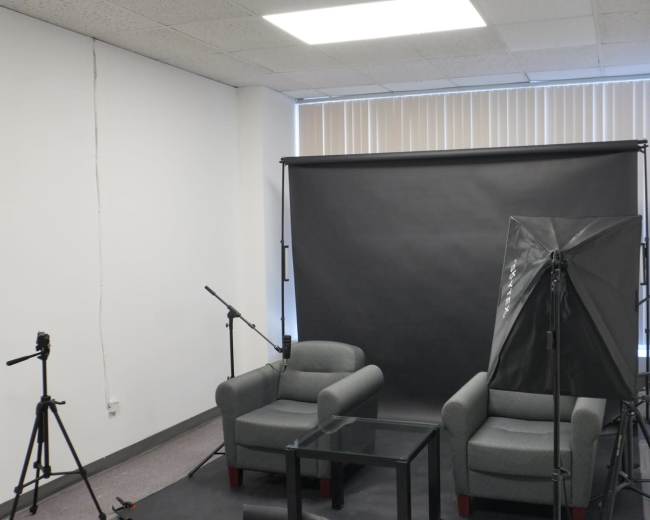
Choose the podcast studio that matches your visual brand, supports your shot list, and already looks strong on camera without heavy fixing. In Detroit, most people searching for a podcast studio now need clean audio and polished video for YouTube, TikTok, trailers, Reels, and guest promos. Start by defining your on-camera goal before you compare hourly rates.
  • Brand vibe: Decide whether your show should feel polished, casual, creative, or deeply local.
  • Shot style: Confirm whether you're filming a solo host, two hosts, or a larger panel.
  • Distribution plan: Know whether you mainly need full episodes, short vertical clips, or both.
  • Set consistency: Decide whether you want one repeatable look or a flexible room with multiple backgrounds.
  • Lighting preference: Choose between natural light and a controlled setup that looks the same all day.
Then ask for proof beyond listing photos. Great still photos don't always mean great video. Ask the host for:
  • Phone walkthrough video: This shows the real room, not just polished hero shots.
  • Unedited sample clips: Ask for footage from the same angle your show would use.
  • Seated eye-level photos: This reveals what the background actually looks like behind each guest.
  • List of what stays in frame: Confirm chairs, tables, art, plants, lamps, monitors, signage, and any branded elements.
  • Light control details: Ask whether windows can be blacked out, diffused, or fully controlled.
  • Room sound details: A good-looking podcast studio still needs proper sound treatment.
A useful rule is simple: pick the space that already fits your taste. If the room already supports your brand, your show looks intentional from episode one. Browse studio options to compare rooms side by side before reaching out to any host. When you evaluate a room, pay close attention to these factors:
  • Background depth: A little distance behind the chairs helps video look more cinematic and less flat.
  • Clean sightlines: Look for clutter, exposed cords, storage items, and distracting furniture.
  • Lighting quality: Mixed light can distort skin tones and make editing harder.
  • Color palette: Wall colors, LEDs, and artwork should support your brand instead of competing with it.
  • Camera space: Make sure there is room for tripods, side angles, and wider shots.
  • Audio treatment: Soft furniture helps, but it's not the same as real sound control.
CBS News Detroit highlights a state-of-the-art podcast facility in Birmingham with a glass enclosure, private seating, and high-end recording equipment. That lines up with what many Detroit creators now expect from a podcast studio: visual polish and guest comfort are part of the value. Watch for these red flags:
  • No sample footage: You can't verify how the room performs on video.
  • No clear set photos: The host may be hiding the true look of the space.
  • Only tight close-ups: Close framing can hide awkward layouts or clutter.
  • No mention of sound treatment: Good visuals don't make up for echo or noise.
  • Heavy LED reliance: Color effects cannot replace good composition and flattering lighting.
  • Vague host answers: If the host can't explain the setup clearly, expect surprises.
If you're choosing between two podcast studio options, pick the one that needs the least fixing. The right room should handle part of the branding work before you ever press record.

What should I ask to avoid surprise studio fees?

To avoid surprise charges, ask for the full all-in cost of the podcast studio in writing before you book. The base hourly rate often doesn't include everything you actually need. Your goal is to move from the advertised rate to the real total. Ask these questions directly:
  • What's included in the hourly price: Confirm microphones, headphones, cameras, lighting, the set, file delivery, and any studio operator support.
  • What costs extra: Ask about editing, live switching, extra cameras, remote guest support, social clips, teleprompter use, and custom branding.
  • When the booking clock starts and ends: Confirm whether setup, soundcheck, load-in, and teardown count toward your time.
  • How overtime is billed: Ask whether overages are charged in 30-minute blocks or full hours, and at what rate.
  • Whether there's a minimum booking: A one-hour rate doesn't always mean you can book just one hour.
  • Whether guest count changes pricing: Some podcast studio listings charge more for larger casts, crews, or small audiences.
  • What parking costs look like: Ask about free lots, garages, meters, validation, and after-hours access fees.
  • Whether there are cleaning or reset fees: This matters if you bring props, décor, food, or drinks.
  • Whether evening, weekend, or holiday rates apply: Premium time slots often cost more.
  • What the cancellation and rescheduling terms are: Know the rules before your calendar changes.
A practical mindset helps here: if a detail feels unclear, ask immediately. If a studio looks great but the host is vague about what is included, assume there's more to clarify. You can use a simple booking script:
  • Total cost request: "Can you send me the all-in total for my exact session length, guest count, and deliverables?"
  • Add-on request: "Please separate what's included from what's optional."
  • Time request: "Does my booking include setup and teardown, or do I need extra time for that?"
  • File request: "What files do I receive the same day, and what has a later turnaround?"
  • Policy request: "If my guest runs late or I need to move the session, what happens financially?"
When you compare podcast studio options in Detroit, focus more on the written total than the advertised rate. Add-ons can change the real price fast. Pro tip: If you're booking through Peerspace, keep every pricing clarification and approval inside the platform message thread. That gives you one clear record of what's included. It's also smart to book enough time for setup and teardown, because underbooking is one of the fastest ways to trigger overtime. You may also see an authorization hold before the host accepts, and many bookings include a grace period if you cancel within 24 hours of confirmation and your start time is more than 48 hours away.

Do I need an engineer for my podcast, or is a DIY setup enough?

A DIY setup is enough for a simple, repeatable show. An engineer is worth it when the session needs to feel polished, low-stress, or difficult to redo. DIY usually works best when:
  • Your format is simple: One or two hosts and a straightforward recording setup are easier to manage alone.
  • You know your gear: You can set levels, monitor sound, and troubleshoot calmly.
  • You can absorb small mistakes: Minor issues won't ruin the episode.
  • You record often: Repetition makes a DIY workflow faster and more reliable.
  • Your budget is tight: You'd rather spend time than spend more money.
An engineer is usually the better choice when:
  • You're recording audio and video: Multi-layer production adds more failure points.
  • You have multiple guests: More voices and camera angles create more complexity.
  • You're recording branded or sponsored content: The standard for polish is usually higher.
  • You're hosting a high-profile guest: You may not get a second chance.
  • You want a hands-off experience: You can stay focused on the conversation.
  • You're using remote or hybrid recording: Call-ins add technical risk.
  • You can't afford a failed session: Lost footage or bad sound often costs more than the engineer fee.
That last point matters most. If one failed recording means losing a sponsor, a guest, or a launch deadline, paying for support is usually the cheaper move. Michigan State University Research Foundation highlights a Detroit podcast studio connected to the NEWLAB innovation hub. That reflects a wider truth in the local market: when the content is founder-led, business-facing, or credibility-driven, technical support often becomes part of the value. Before you book, ask what the engineer actually does. A true engineer should be able to explain whether they will:
  • Set and monitor audio levels
  • Watch for clipping, hum, and background noise
  • Handle camera framing and recording
  • Manage file backups
  • Sync audio and video
  • Support remote guests
  • Deliver raw files the same day
  • Flag retakes before the guest leaves
If those answers are vague, you may be paying for room access, not real engineering support. If you choose a DIY podcast studio, look for a room that makes the process easy:
  • Simple signal path: Fewer moving parts mean fewer mistakes.
  • Clear setup instructions: You should know how to start quickly.
  • Stable gear placement: Mic arms, headphones, and seating should already be dialed in.
  • Consistent lighting: Reliable lighting makes video easier to manage.
  • Responsive host support: Someone should be available to answer pre-session questions.
  • Right-size layout: The room should match your cast size and format.
A simple rule of thumb is this: if you want to focus fully on the conversation, hire help. If you enjoy running production and can recover from mistakes, DIY can absolutely work. If you need a space with reliable gear already in place, you can find video studios for your podcast shoot that include cameras, lighting, and sound equipment as part of the booking.

Which Detroit areas are easiest for guests and parking?

The best location is the one your guests can reach easily, park at without stress, and enter without confusion. For most podcast studio bookings, convenience matters more than trendiness. The right Detroit area depends on where your guests are coming from and what kind of arrival experience you want. If most guests are already in the city and your brand benefits from local energy, Midtown, Corktown, and Downtown can work well. These neighborhoods are recognizable, feel creative, and can add atmosphere to the session. The tradeoff is that parking, garage access, meters, and building entry may require more planning. If Corktown's creative energy fits your show, you can browse filming locations here to see what's available. If your guests are spread across Metro Detroit, suburban locations can be easier. Birmingham, Royal Oak, Southfield, and Westland often make sense for teams that want a simple drive-in, drive-out experience. That's especially helpful when your podcast studio booking also functions like a small event space for a panel, launch, or live taping. A practical way to choose is to match the location to your show type:
  • City-first show: Choose Detroit proper if your brand benefits from a strong local feel and most guests are nearby.
  • Metro-wide guest mix: Choose the location that reduces the average drive time for everyone.
  • Executive interviews: Prioritize easy parking, clear check-in, and a polished arrival experience.
  • Community storytelling: Record as close as possible to the people and neighborhoods you feature.
Before you book, ask the host these logistics questions:
  • Parking plan: Where do guests actually park?
  • Walking distance: How far is the walk from parking to the entrance?
  • Likely confusion points: What will first-time visitors find hard to spot or understand?
If the host can't answer those quickly, expect friction on shoot day. You should also ask about:
  • After-hours access
  • Elevator or stair access
  • Loading access for gear
  • Rideshare drop-off
  • Street-level visibility of the building
Common red flags include vague claims like "street parking available," unclear entry instructions, and buildings that require a long walk, a service elevator, or a confusing call box system. If you're choosing between a more stylish location and a more convenient podcast studio, convenience usually wins unless the neighborhood itself is essential to your show. Relaxed guests almost always make better conversations.

Studio, home, or park: which works best for my show?

A podcast studio is usually the best choice for consistency, sound quality, and visual polish. Home works well for intimacy. A park works well when location is part of the story. The right answer depends on your format, your audience, and how much production risk you can tolerate. A studio is the strongest option for interview shows, video podcasts, branded content, sponsored episodes, and any format where reliability matters. In Detroit, creators increasingly choose a podcast studio because they want a space that looks as strong on camera as it sounds on mic. If your show relies on sit-down conversations with guests, you can explore interview filming locations designed for exactly that format. A home setup can be great for a personality-driven show. It often feels relaxed and familiar, which can help co-host chemistry. But home only works if you can truly control the environment. HVAC noise, fridge hum, pets, neighbors, street sound, and visual clutter become obvious very quickly once the mic is live and the camera is rolling. A park can be powerful for short-form segments, community storytelling, and episodes where place matters as much as dialogue. Detroit has strong visual texture, and outdoor recording can make that feel immediate. But parks are the least reliable choice for long-form episodes because wind, traffic, weather, power access, restrooms, and ambient noise are hard to control. That's why a hybrid approach often works best. Use a podcast studio as your base, then capture neighborhood b-roll or short outdoor intros separately. BridgeDetroit reports that Detroit's Merit Park development includes a dedicated podcast studio and live video production space. That is a useful reminder that community-rooted storytelling and production quality don't have to compete with each other. Use this quick filter:
  • Choose a studio if: You want reliability, polished clips, strong sound, and less technical stress.
  • Choose home if: Your show depends on comfort and you can fully control noise and visuals.
  • Choose a park if: The setting is part of the story and you can accept production tradeoffs.
For many creators, the answer is not forever. It's what works for this stage of the show. If you're growing, pitching guests, or building a visual brand, a podcast studio usually gives you the strongest foundation.
What should I bring to a Detroit podcast room on shoot day?

Bring less than you think, but bring the essentials that protect the conversation, your files, and your on-camera presence. A good podcast studio should already cover the heavy infrastructure. Pack in five categories:
  • Show essentials: Bring your run of show, guest bio, intro and outro copy, sponsor reads, key questions, pronunciation notes, and episode goals.
  • Tech backups: Bring a laptop, chargers, a phone charger, power bank, headphones if you prefer your own, adapters, a hard drive or SSD, extra memory media if needed, and a cloud upload plan.
  • Personal camera-ready items: Pack water, lip balm, blotting paper or powder, a comb, a lint roller, and a backup top that works on camera.
  • Guest support items: Have parking instructions, arrival details, room number, host contact information, and a simple late-arrival text ready to send.
  • Brand items: Bring a small prop, notebook, or sign only if it genuinely improves the frame and the host approves it.
Wardrobe matters more than many people expect. Avoid tiny stripes, distracting patterns, noisy jewelry, and anything uncomfortable to sit in for an hour. If the session is filmed, bring one backup clothing option in case the room color clashes with your first choice. It is also smart to bring your own:
  • Water bottle with a quiet cap
  • Notebook and pen
  • Emergency backup questions
  • Release forms or guest notes if your workflow requires them
If your podcast studio booking also includes a few audience members, collaborators, or clients, add:
  • Printed run of show: Keep the session moving without relying on phones.
  • Simple sign-in sheet: Make arrivals easier to manage.
  • Name cards if needed: These help guests and observers settle in faster.
  • Clear arrival message: Send directions and timing in advance.
For Detroit specifically, build in a little extra arrival buffer. Weather layers, coats, parking transitions, and building access can slow people down, especially in downtown buildings or converted creative spaces. One last rule helps a lot: arrive early enough to settle the room before your guest walks in. Check framing, test audio, place water, silence phones, and decide where bags and coats will go. A calm room changes the tone of the conversation. And don't overpack décor. If you chose the podcast studio because it matched your vision, trust the room. You shouldn't need to haul in half a set to make the episode feel complete. If you're still narrowing down your options, you can book a recording studio that already includes the set design and gear you need for a polished session.
Updated July 6, 2026Our data is refreshed in real time using booking trends, verified guest reviews, and direct partner updates — with additional quality checks from our team.