Rent a podcast studio in Burbank, CA

Discover thousands of unique podcast studios for rent for your next recording.

Enter your activity
Burbank, CA

How podcast rooms work on Peerspace

Peerspace is the easiest way to book unique for all kinds of productions including photo shoots, film shoots and music videos. We also have spaces for meetings and events.

The most locations

Every day we uncover new, inspirational spaces, including podcast rooms, perfect for your activity.

Professional hosts

Our network of helpful hosts respond quickly, and are well-versed in accommodating all types of productions, including film and photo shoots.

Hire by the hour

Only pay for what you need. Pay by the hour for your podcast room location without worrying about hidden fees or overtime.

Popular podcast studios

Why do podcast studio prices in Burbank vary so much?

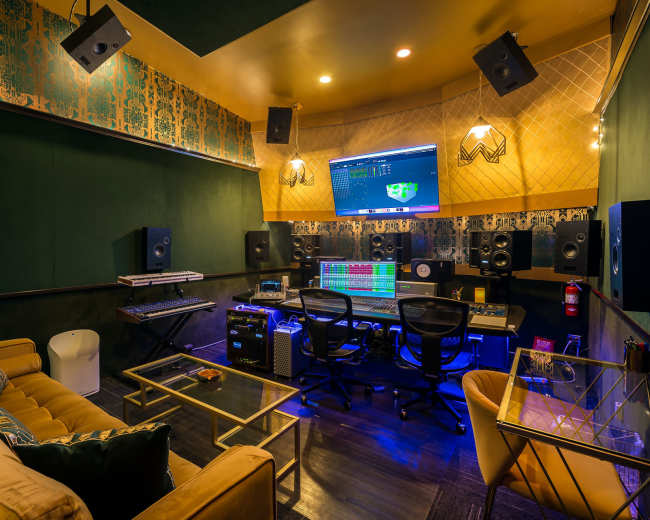
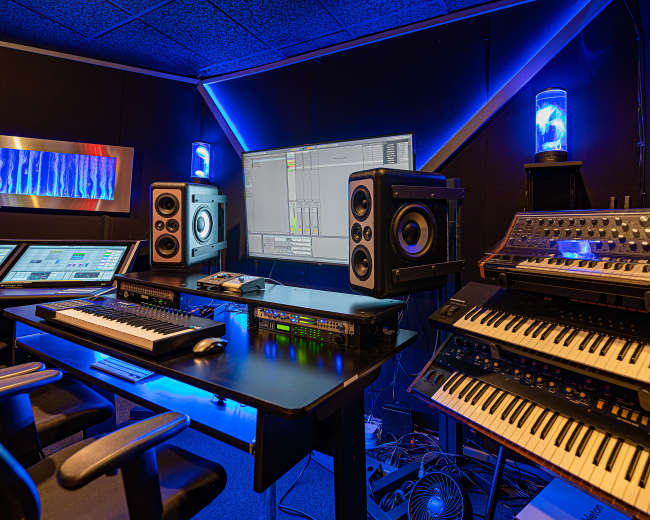
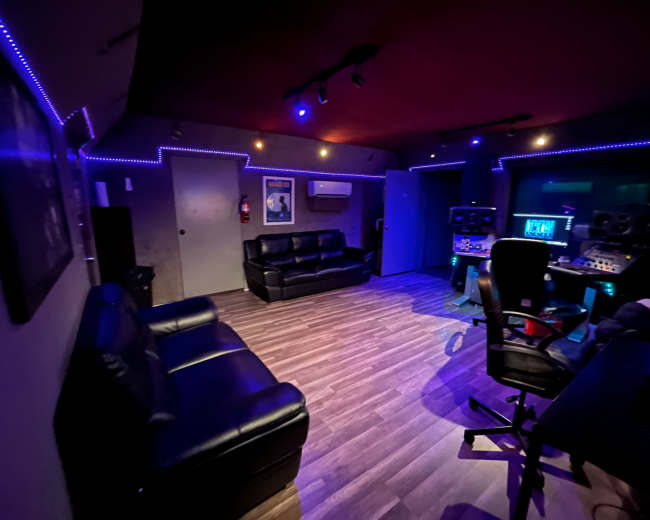
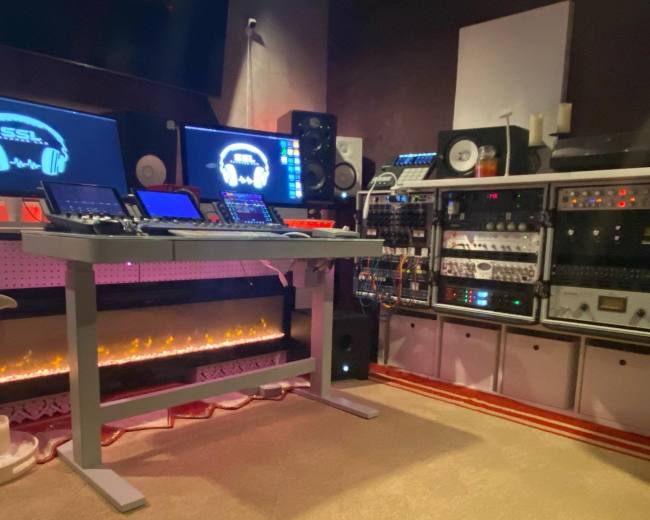
Podcast studio prices in Burbank vary because you're usually paying for more than just a room. One podcast studio may include only the essentials, while another may bundle video production, staffing, branded sets, and file delivery into the same booking. In Burbank, pricing usually reflects five layers at once:
  • Space: The size, privacy, location, and overall condition of the room
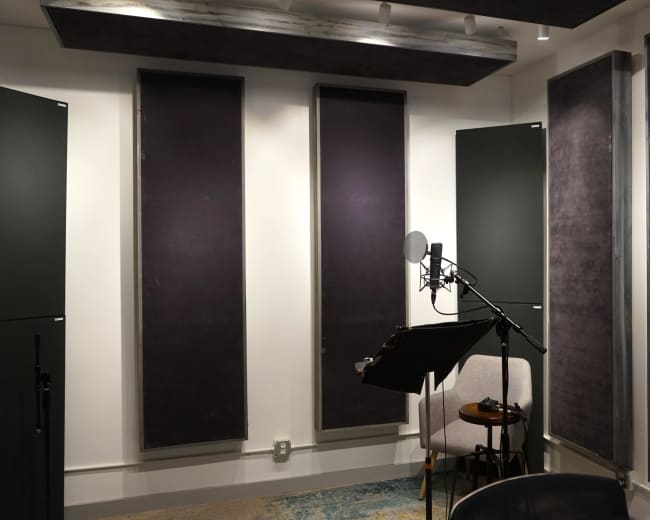
  • Sound treatment: How well the room controls echo, outside noise, and reverb
  • Gear package: The microphones, headphones, cameras, lighting, and recorders included
  • Staffing: Whether you're operating the session yourself or working with an engineer or operator
  • Deliverables: Whether you leave with raw files, same-day media, edited clips, or full post-production support
That's why two listings can both appear to be a podcast studio in search results, but deliver very different experiences once you review what's actually included. A lower-priced booking often covers a treated room, a basic mic setup, and studio time. A higher-priced booking may include multiple cameras, lighting, a styled set, an operator, file handoff, and post-production support. When you browse podcast studios, you can compare these layers side by side to see what each booking actually includes. When you compare a Burbank podcast studio, ask for the real all-in cost, not just the hourly headline rate. The most useful questions are:
  • What's included: Are microphones, headphones, cameras, lighting, and file delivery part of the base rate?
  • What's staffed: Is someone there to set levels, frame shots, troubleshoot, and start recording?
  • What's the format: Is the booking audio-only, audio plus video, or a live-switched setup?
  • What's the minimum: Does the studio require one hour, multiple hours, or a half-day booking?
  • What counts as extra: Do editing, overtime, extra guests, same-day delivery, or setup time change the final price?
  • What does the room look like: Is the set visually styled and camera-ready, or more basic and utilitarian?
A useful rule is simple: if you want to walk in, sit down, and leave with polished files, expect to pay more. If you're comfortable keeping production simple and handling more of the workflow yourself, you can usually spend less. Watch for these red flags:
  • Vague pricing: A listing says "starting at" but doesn't explain what the base package covers
  • Missing deliverables: You can't tell whether you'll receive raw files, edited clips, or only studio time
  • Unclear overtime terms: Setup, guest arrival, and breakdown haven't been discussed in advance
  • No proof of output: The studio shows attractive room photos, but no real examples of how podcasts from that room look and sound
The fastest way to compare options is to group each podcast studio by package type: self-serve, turnkey, or full production.

Do I need an engineer, or can I book a turnkey room?

Yes, you can absolutely book a turnkey room without hiring an engineer. For many podcasts, a turnkey podcast studio is the smartest choice if your format is simple and you want a lower-stress recording day. A turnkey room works best when the studio handles the setup in advance so you can focus on the conversation instead of the technical side. In Burbank, that model is especially useful for coaches, founders, creators, and first-time hosts who want professional output without managing every production detail themselves. A turnkey room is usually the right fit if:
  • Your show is simple: One host, one guest, or a small roundtable without complex production needs
  • You're comfortable on mic: You can speak consistently and stay close to the microphone
  • You don't need live switching: There are no branded graphics, remote guests, or multiple moving parts to manage in real time
  • You want to protect budget: A self-operated or lightly supported podcast studio usually costs less than a fully staffed session
Engineer or operator support is usually worth it if:
  • You're recording video: Framing, lighting, exposure, and switching add complexity quickly
  • You have a high-value guest: You don't want to lose a strong interview because of a gain problem, dead battery, or missed camera angle
  • You need polished files fast: A staffed team can speed up delivery and reduce cleanup later
  • You are new to the process: It's easier to stay present when someone else is watching the technical details
If you are leaning toward a staffed video session, you can also find recording studios in Burbank that offer varying levels of engineer support and production assistance. Before you book, ask these questions:
  • Who presses record: Whether you, the host, or an operator starts and manages the session
  • Who monitors audio: Whether anyone is actively listening for clipping, noise, or mic issues
  • Who manages cameras: Whether someone handles framing, switching, and exposure during video recording
  • What happens if something fails: Whether there is a backup mic, recorder, battery, or support contact
  • What do I receive afterward: Whether you get raw audio, raw video, a live-cut file, or edited assets
  • How fast do files arrive: Whether delivery is same day, next day, or later
A simple filter helps. If your main goal is to have a great conversation, a turnkey room is usually enough. If your main goal is to leave with polished, branded, immediately usable content, added support is usually the better choice.

How do I choose a Burbank studio that looks good on camera?

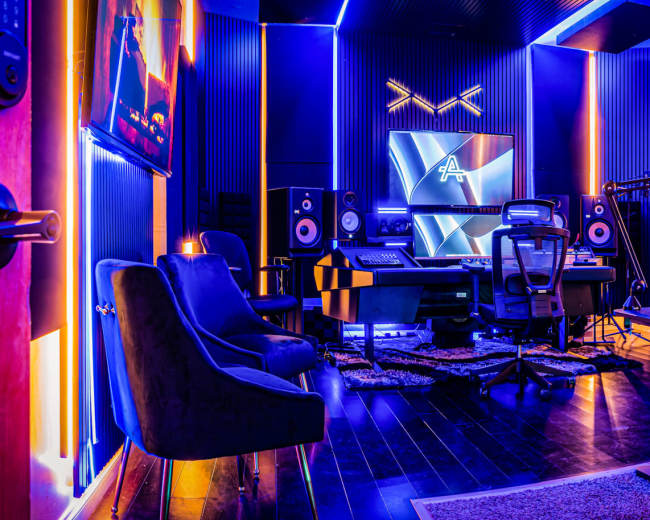
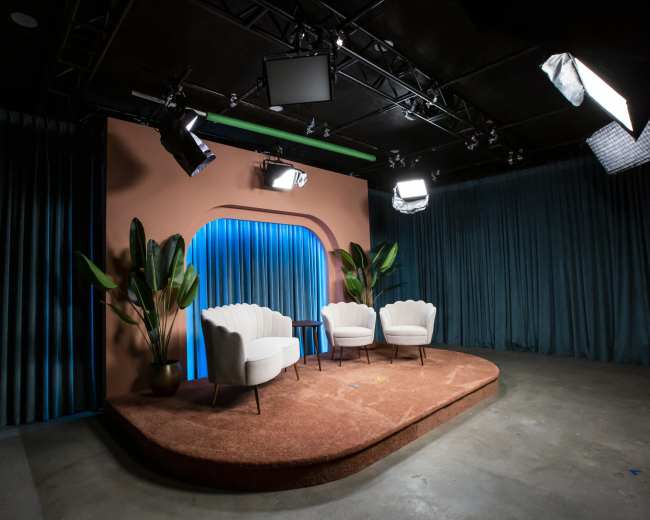
Choose the podcast studio that matches your show's visual identity, not just the one with the most gear. The best-looking studio on camera is the one that supports your brand, your format, and the way your content will be viewed on YouTube, social clips, and guest promo assets. A lot of hosts choose based on microphones and cameras alone, then realize the room looks flat, generic, or disconnected from their brand. A strong video podcast studio needs visual meaning as well as good sound. If video quality is a top priority, explore video studios where you can compare set designs, lighting setups, and camera-ready environments. When you compare options, focus on these camera-first details:
  • Background depth: The set should create separation between the guest and the backdrop so the frame feels dimensional
  • Lighting control: Natural light can work well, but only if it's consistent and manageable
  • Color palette: The room should complement your wardrobe, branding, and skin tones instead of competing with them
  • Furniture scale: Chairs and tables should fit your format, whether that's a solo host, interview show, or roundtable
  • Set flexibility: Screens, art, shelves, plants, and accent lighting can help the show feel distinct
  • Sightlines: The room should look good from more than one camera angle, especially if you want clips, cutaways, or wider frames
In most video setups, lighting matters more than expensive decor. Viewers will usually forgive a simple set before they forgive harsh shadows, mixed color temperatures, or unflattering overhead light. A smart shortlist test is:
  • Ignore the listing language: Ask whether the room still feels like your brand even without the sales copy
  • Imagine the thumbnail: Think about whether a still frame from the room would make someone want to click
  • Check for visual noise: Too many props, reflections, or random decor elements can cheapen the frame
  • Look for one signature element: A monitor wall, lounge setup, clean broadcast desk, or warm conversational nook gives the show identity
  • Request recent footage: Raw sample clips reveal much more than still photos
Questions worth sending before you book include:
  • Can I see raw sample clips from this setup: This helps you judge the real lighting and camera quality
  • Can the lighting color be adjusted: This matters if you want a warmer, cooler, or brand-specific look
  • Can background elements be changed: Small changes to art, pillows, or decor can make the set feel more custom
  • Is there a monitor for branding: A logo screen can make a podcast studio feel far more intentional on camera
  • How many camera angles work well here: Some rooms only look strong from one side
  • Can I capture promo stills too: Headshots and social images can add more value to the session
If your format is interview-driven and you want a space specifically designed for on-camera conversations, you may also want to book an equipped interview location, built with that exact use case in mind. Red flags include:
  • Only one hero shot: If every listing photo is from the same angle, the room may not hold up in real production
  • Heavy overhead lighting: It often creates unflattering shadows fast
  • Reflective surfaces everywhere: Glass, glossy tables, and bright metal can be difficult on camera
  • No visual personality: Clean is helpful, but sterile isn't always engaging to watch
If your show lives on video, choose the room the way you would choose a set, not just a recording booth.

Which Burbank areas are best for guests and parking?

The best Burbank area for a podcast studio is the one that makes arrival easy for your guests. For most sessions, convenience matters just as much as the set, especially when you want guests relaxed, on time, and willing to come back. Burbank is a practical choice for media-related bookings because it's already a familiar work zone for many creators and entertainment professionals. The City of Burbank notes that Burbank is the Media Capital of the World and home to more than 1,000 media and entertainment companies. That local concentration is one reason a Burbank podcast studio can be easier for guests than a deeper cross-city trip. As a planning shortcut, think about Burbank in three guest-friendly patterns:
  • Magnolia Park and nearby west-side pockets: Often a strong option if you want a neighborhood feel, easier arrivals, and coffee or food nearby. If you're considering this area, you can explore film production locations to see what creative spaces are available in the neighborhood.
  • Areas near major studio corridors: Useful for guests already working in production who need a quick in-and-out stop
  • Downtown-adjacent locations: Helpful for rideshare arrivals, restaurant access, and structured parking options
What matters most isn't the zip code. It's the arrival experience. Even a great podcast studio loses value if a guest circles for parking, struggles with entry, or arrives flustered. Before you confirm a booking, ask:
  • Is parking dedicated or street-based? Dedicated parking usually creates a smoother guest experience
  • How many spots are included? This matters if you have a guest, producer, stylist, or assistant arriving separately
  • Is there overflow parking nearby? A backup lot helps when dedicated spots fill up
  • Are load-in instructions clear? This matters if you're bringing wardrobe, props, or gear
  • Is the entrance easy to find? First-time visitors should not have to guess where to go
  • Is there elevator access? This matters if the studio isn't on the ground floor
  • Are there traffic windows to avoid? Scheduling around weekday congestion can protect start times
A few practical filters help:
  • Best for busy guests: Prioritize simple parking over a more dramatic set
  • Best for out-of-area guests: Choose a location near major routes, not one that's technically close, but awkward to reach
  • Best for repeat interviews: Look for coffee, restrooms, and easy waiting space nearby
Watch for these red flags:
  • Easy parking with no details: If the listing makes the claim, but doesn't explain how parking works
  • No arrival photos or entry instructions: Guests may waste time finding the right door
  • Street parking only during business hours: This can create stress and delays
  • No mention of load-in support: That becomes an issue if your team is bringing extra items
The right Burbank podcast studio location should make showing up feel effortless. That usually leads to a better conversation before the microphones are even on.

Should I rent a studio or record at home or in a Burbank park?

For more serious episodes, rent the studio. A podcast studio gives you the strongest mix of sound quality, visual control, credibility, and repeatability. Home can work well for testing, solo recording, and consistent low-cost publishing. A park can work for short creative clips or a very specific concept. But if you care about guest comfort, clean audio, and dependable production, a studio is usually the better choice. A podcast studio is best if you want:
  • Professional credibility: The show immediately feels more intentional and established
  • Better sound quality: A treated room reduces echo, HVAC hum, and outside noise
  • Camera-ready visuals: This matters if your podcast also feeds YouTube, reels, and promo clips
  • Guest confidence: People usually take the session more seriously in a purpose-built environment
  • Less friction: You aren't rearranging furniture, warning roommates, or chasing quiet
Home recording is best if you want:
  • Maximum convenience: There's no travel, parking, or studio clock
  • Lower ongoing cost: It works well for solo episodes, test runs, and early-stage publishing
  • Gradual setup control: You can improve your lighting, sound, and framing over time
Home recording still has tradeoffs:
  • Environmental noise: HVAC systems, neighbors, pets, and street sound are hard to control fully
  • Visual inconsistency: Lighting and background quality can change from episode to episode
  • Split attention: You're often producing and hosting at the same time
A park is usually the weakest option for a full podcast episode because the environment is difficult to control. A park may make sense if:
  • Atmosphere matters most: You want a casual, outdoorsy look for a short-form segment
  • The clip is short: You can live with some noise and visual unpredictability
  • You're not depending on perfect audio: The content is more social-first than podcast-first
A park becomes risky when:
  • Wind picks up: Wind noise can ruin otherwise strong audio
  • Public noise increases: Traffic, planes, dogs, kids, and passersby are hard to predict
  • Privacy matters: Sensitive conversations are harder to manage in public
  • Lighting shifts: Sun angle and cloud cover can change quickly
If you're considering a park in Burbank, treat it like a public production location, not a casual hangout. Requirements can change based on the park, your gear, your crew size, and whether you need permits or power access. If you decide a dedicated space is the right move, some creators also look into options like content houses when they want a more relaxed, home-like environment with better production control than recording at an actual home. A simple rule works here: choose home for convenience, choose a park for atmosphere, and choose a podcast studio for dependable quality.
What should I bring to a Burbank podcast studio session?

Bring less gear and more preparation than you think. Most podcast studio problems are caused by weak prep, not by forgetting a fancy accessory. Your core session kit should include:
  • Show plan: Episode title, talking points, intro, outro, sponsor copy, and call to action
  • Guest notes: Names, bios, pronunciations, links, and any topics to avoid
  • Brand assets: Logo files, lower thirds, intro graphics, and thumbnail ideas if the studio supports video
  • Storage options: A laptop and external drive if direct file handoff is available
  • Wardrobe choices: Solid colors usually work better than tiny patterns or noisy jewelry
  • Personal touch-ups: Powder, comb, lip balm, and other basics that help you look camera-ready
  • Comfort items: Water in a quiet bottle, throat lozenges, and any notes you like to reference
  • Backup access: Chargers, cables, and a copy of your outline in the cloud and on your phone
The right mindset matters too:
  • Arrive early: Give yourself time to settle in instead of starting the session rushed
  • Use good mic technique: Even a great podcast studio can't fully fix inconsistent mic distance
  • Plan clip moments: Knowing the social cutdowns you want helps you leave room for clean starts and endings
  • Dress for the set: Ask about backdrop and furniture colors so you don't blend in or clash
A few things are usually better left at home unless the studio has approved them:
  • Last-minute props: They often feel random on camera
  • Crunchy snacks or ice drinks: Microphones pick them up more than most hosts expect
  • Extra lights or gear: Only bring them if the studio confirms the space and power can support them
  • Large entourages: Extra people can make a small podcast studio feel crowded quickly
Pro tip: Build setup and wrap time into your booking, not just the time you expect to be recording. That buffer helps with guest arrival, mic checks, test clips, and file transfer. On Peerspace, hosts can charge approved overtime at up to time-and-a-half, so an overly tight booking can turn a budget-friendly session into a stressful one. A simple pre-session checklist is:
  • Before you leave home: Confirm the address, parking, access instructions, and exactly what the studio already provides
  • Before you go on mic: Test your framing, audio, posture, and first question
  • Before you walk out: Confirm how and when your files will be delivered
The best podcast studio sessions feel effortless because the preparation was not.
Updated July 6, 2026Our data is refreshed in real time using booking trends, verified guest reviews, and direct partner updates — with additional quality checks from our team.