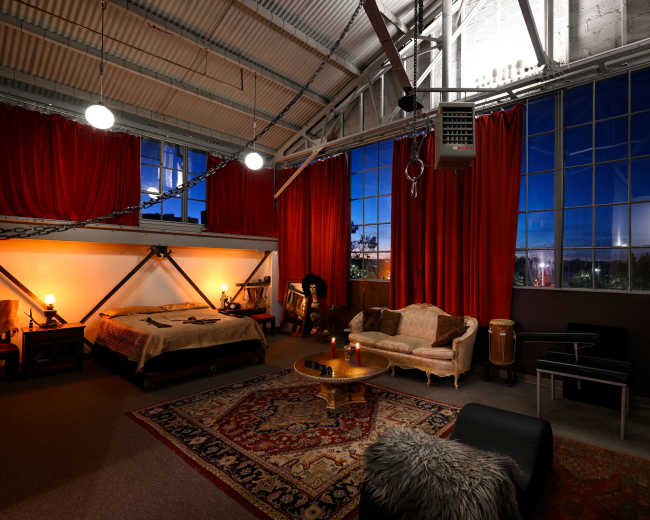
Rent a podcast studio in Oakland, CA

Discover thousands of unique podcast studios for rent for your next recording.

Enter your activity
Oakland, CA

How podcast rooms work on Peerspace

Peerspace is the easiest way to book unique for all kinds of productions including photo shoots, film shoots and music videos. We also have spaces for meetings and events.

The most locations

Every day we uncover new, inspirational spaces, including podcast rooms, perfect for your activity.

Professional hosts

Our network of helpful hosts respond quickly, and are well-versed in accommodating all types of productions, including film and photo shoots.

Hire by the hour

Only pay for what you need. Pay by the hour for your podcast room location without worrying about hidden fees or overtime.

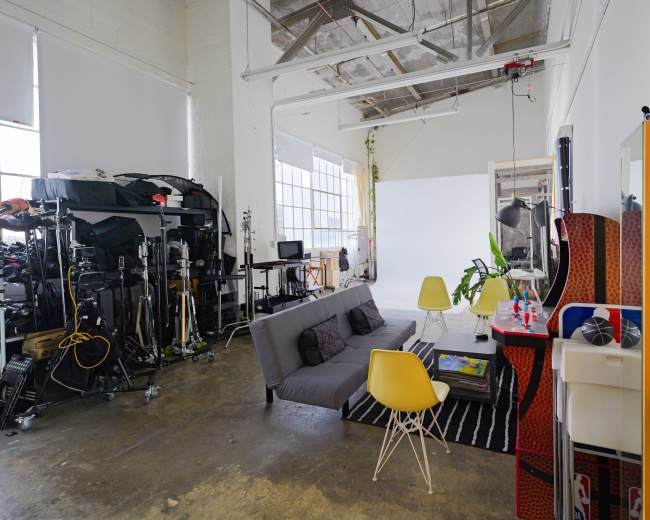
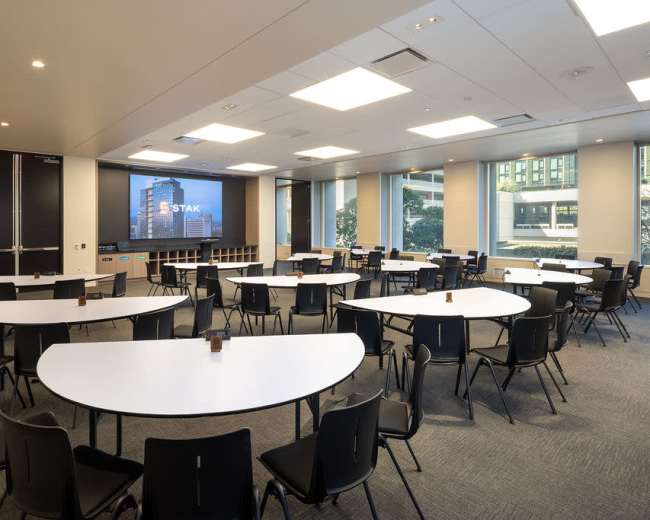
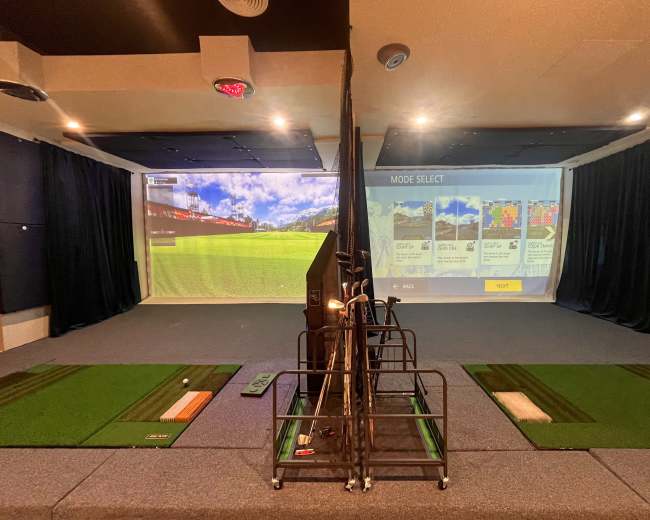
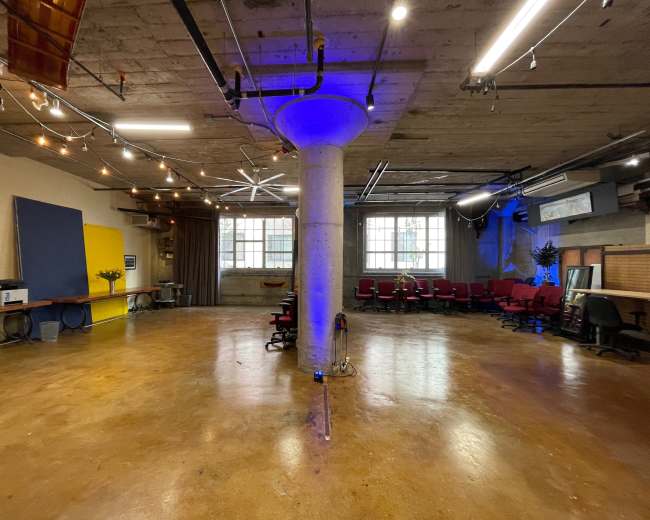
Popular podcast studios

Do I need an engineer, or can I book a plug-and-play room?

You don't always need an engineer. For many creators booking a podcast studio in Oakland, a plug-and-play room is the better fit because it removes gear stress without adding production support you may not need. A plug-and-play room usually works best for a simple format: one host, one guest, two to four microphones, and a goal of leaving with clean raw files. Buzzsprout notes that not every podcast setup needs a complex, mixer-heavy workflow, especially for straightforward recordings. That's good news if you want a clean session without managing a full engineering setup. An engineer becomes more valuable when the recording has more moving parts, less room for error, or a higher-stakes guest.
  • Choose plug-and-play if: You want a simple sit-down session, you're comfortable hitting record, and you mainly need the room, microphones, headphones, and a reliable recording path.
  • Book an engineer if: You're recording multiple guests, capturing several camera angles, running remote call-ins, managing brand talent, or creating content where mistakes cost real time and money.
  • Lean toward engineer support if: You're nervous about levels, file routing, memory cards, backups, sync, or what happens if something fails mid-session.
  • Pay for support when the guest matters: If you're hosting an executive, sponsor, public figure, or first-time guest, it's often worth paying for someone else to monitor the technical side so you can focus on the conversation.
Before you book, it helps to browse different studios in Oakland and ask each host direct questions about how the room actually works:
  • Is it truly plug-and-play, with everything already wired and tested?
  • Are the microphones and headphones included in the base rate?
  • Do you record yourself, or does a staff member launch the session?
  • Do you leave with raw files, edited files, or both?
  • Is help available if a camera, mic, or recorder stops working?
  • Can the space handle both audio and video well, or is it stronger at one than the other?
A few red flags are worth watching for:
  • Listings that say fully equipped but don't name what is included
  • Hosts who can't explain the workflow in plain language
  • No mention of backups
  • No clarity on whether you control the recording or someone else does
  • Beautiful set design, but no information about acoustics or mic placement
If you want ease, speed, and confidence, a plug-and-play podcast studio can be perfect. If you want minimal technical anxiety or you're producing a more complex session, book the engineer.
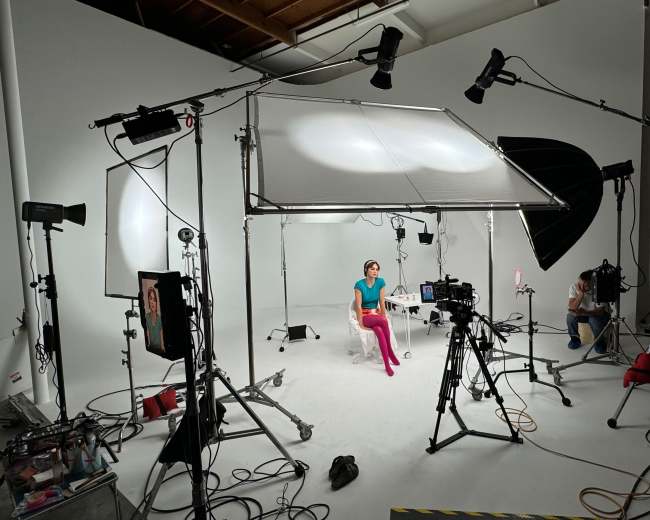
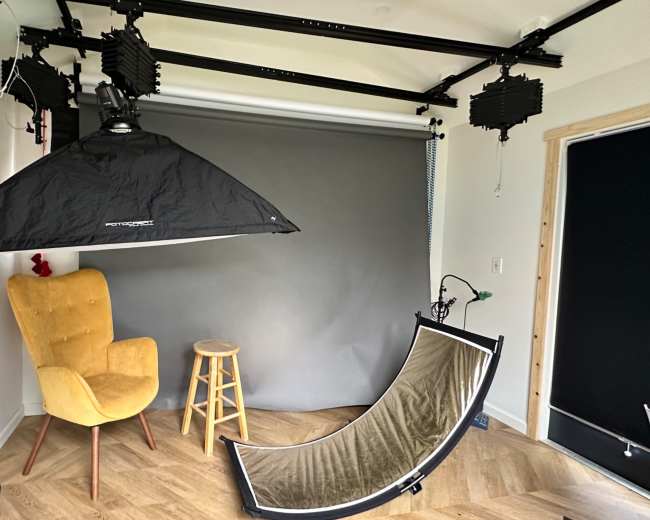
What should I look for in a video-ready podcast space?

A video-ready podcast studio should do two jobs at once: sound clean and look intentional on camera. That's where many bookings go wrong. A room can have a great backdrop and still be difficult to record in if it echoes, has harsh overhead lighting, or forces awkward camera angles. Spotify emphasizes that the recording environment matters as much as the equipment. In practice, that means your Oakland podcast studio shouldn't just have microphones and cameras. It should also help you control sound, monitor what you are capturing, and keep the visual setup consistent from start to finish. Here's what to prioritize:
  • Clean sound first: Look for acoustic treatment, soft surfaces, isolated rooms, and distance from street noise, HVAC rumble, and shared hallways.
  • Flattering lighting: The best rooms have controllable light, not just bright light. You want soft, even lighting that works across skin tones and doesn't shift throughout the session.
  • Strong camera sightlines: Make sure the room fits your format, whether that's a face-to-face interview, side-by-side co-host setup, or three-person panel.
  • A backdrop that matches your brand: If you plan to cut clips for YouTube, LinkedIn, or short-form social, the set should feel like your show rather than a generic studio.
  • Space for monitors and notes: If you use outlines, sponsor reads, or remote guests, ask whether there's a confidence monitor or screen in the room.
  • Reliable power and cable management: Messy cords, limited outlets, and improvised power strips can signal that the room is not built for repeatable video production.
  • Guest comfort: Comfortable chairs, water, table space, and a calm arrival experience matter more than people think. A relaxed guest usually looks better and sounds better.
If your format leans heavily on visuals, you may also want to look into video studios that are purpose-built for multi-camera setups. Ask the host these questions before booking:
  • Can I see an unedited sample clip from this exact setup?
  • How many cameras can the room support comfortably?
  • Is the lighting fixed, or can it be adjusted?
  • Does the rate include video capture, or only the room?
  • Is there a place for wardrobe touch-ups, bags, and personal items?
  • Can I bring branded props, signage, or my own cameras?
Common red flags include ring-light-only setups, harsh overhead fluorescents, large windows with no light control, and listings that focus heavily on aesthetics while saying very little about audio quality. If your goal is a show that works as both a full episode and short clips, choose a podcast studio that already functions like a content set, not just a room with microphones.

What do higher-priced Oakland studios include?

Higher-priced podcast studio rentals usually cost more because they solve more problems before you walk in. The price jump is often about convenience, support, polish, and predictability, not just better microphones. At the lower end, you're usually paying for access to a room and core gear. At the higher end, you're paying for a more complete production experience. Premium pricing often includes:
  • A more complete setup: Multiple microphones, better acoustics, more polished lighting, multiple camera angles, and a cleaner overall recording chain.
  • Operator or engineer support: Someone may set levels, monitor audio, switch cameras, manage files, and troubleshoot in real time.
  • A stronger on-camera look: More intentional furniture, flattering lighting design, cleaner backgrounds, and a set that feels branded rather than improvised.
  • Post-production options: Some higher-priced spaces include file organization, basic editing, color correction, clip delivery, or social-ready exports.
  • Hospitality features: Waiting areas, green rooms, makeup mirrors, refreshments, easy restroom access, and a smoother guest arrival flow.
  • Time savings: The premium is often about speed. You walk in, sit down, record, and leave without spending extra time figuring out cables, lighting, and framing.
If you're deciding whether the extra cost is worth it, ask what you're really buying:
  • Better audio
  • Better video
  • Less stress
  • Staff support
  • A room that will impress a guest or client
That last point matters. If the recording is tied to your business, brand, or sponsored content, a higher-priced podcast studio may save money overall because it reduces bad takes, technical errors, and patchwork editing later. For sessions where audio quality is the top priority, it can also help to explore recording studios that specialize in sound-first environments. Ask the host to break down the rate clearly:
  • Is staffing included or extra?
  • Are cameras included or rented separately?
  • Do you get raw footage only or organized files?
  • Is setup time built in?
  • Are lights and mics fixed in place, or can they be configured for your session?
A higher price is worth it when it buys predictability. It's not worth it when the listing is vague and the upgrade is mostly cosmetic.

Which Oakland areas are best for easy guest access?

The best Oakland location is the one that removes friction for your guest. For most podcast studio bookings, that means neighborhoods with straightforward transit, easy rideshare drop-off, and an arrival experience that doesn't require multiple texts just to find the entrance. For many guests, these areas are the easiest to access:
  • Downtown Oakland: A strong choice for guests coming from around the Bay who may use BART, rideshare, or a mix of transit options. If you're looking in this area, you can find recording studios to compare what's available near major transit hubs.
  • Lake Merritt-adjacent areas: Often a good middle ground for centrality, familiarity, and flexible transit access.
  • West Oakland: Especially useful if your guest is coming from San Francisco or arriving by car and train. Creators producing video-heavy episodes may also want to look for video studios in this area for easy cross-bay access.
  • Fruitvale-adjacent locations: Worth considering if your guests are East Bay-based and you want better transit access outside the main downtown core.
Neighborhood alone is not enough, though. Two podcast studios in the same part of Oakland can feel very different from a logistics standpoint. What matters most is this:
  • Clear parking reality: Not just parking available, but how much, where, and whether it's realistic at your recording time.
  • Simple entry instructions: Exact suite number, elevator access, code details, and whether someone greets your guest.
  • Safe, easy drop-off: Especially important for first-time guests, older guests, or anyone carrying gear.
  • Low confusion factor: If the entrance is hidden in a warehouse complex or behind multiple gates, that should be communicated clearly before the session.
When you compare locations, ask:
  • If my guest takes BART, how difficult is the last part of the trip?
  • If they drive, where do they park?
  • If they rideshare, is the pickup and drop-off point obvious?
  • Can a first-time visitor find this space easily?
  • Is there signage, staff, or a host onsite?
Guest access is part of production value. If your guest arrives stressed, late, or annoyed, the episode starts behind. If guest convenience matters more than scenery, choose central and simple over trendy and complicated.

Should I rent a studio, or record at home, a beach, or a park?

If you want the cleanest and most repeatable result, rent a podcast studio. Home, beach, and park recordings can work for a specific creative style. But if your real goal is consistency, good sound, guest comfort, and an easier production day, a dedicated podcast studio is usually the better choice. Here's the practical tradeoff:
  • Home works best if: You already have a quiet room, basic sound treatment, reliable gear, and no major issues with pets, neighbors, appliances, or delivery noise.
  • A beach or park works best if: The location is essential to the concept and you're willing to accept less control in exchange for atmosphere.
  • A studio works best if: You care about repeatability, clean files, guest comfort, and a professional result every time.
Outdoor and non-traditional locations introduce variables that are hard to control:
  • Wind
  • Birds, traffic, and nearby people
  • Changing light
  • Unpredictable background noise
  • Limited power
  • Less privacy for guests
  • Possible permission or permit questions depending on the setup
This matters even more in Oakland if you plan to create video clips. Outdoor audio problems are much harder to overlook when the episode is also meant for social video or long-form video. There's also a brand question. If you want a show that feels distinctly Oakland while still looking polished, The Oaklandside is a useful local example of how personality and professionalism can work together. A podcast studio gives you a stronger baseline, and you can still bring Oakland character into the conversation, set styling, and storytelling. A simple way to decide:
  • Choose home: For solo episodes, early concept testing, or keeping costs minimal.
  • Choose a studio: For guest interviews, business-facing content, sponsored episodes, and video-first formats. If your episodes feature sit-down conversations, you can also book an interview filming space designed specifically for that format.
  • Choose a beach or park: Only when the location is central to the idea and you're prepared for a more complicated production.
If budget is the reason you're hesitating, remember that a cheaper location is not truly cheaper if you lose time, ruin takes, or end up with files you cannot use.

How do I plan a smooth podcast recording day in Oakland?

A smooth podcast studio session is usually won before anyone says the first word on mic. The best recording days feel easy because the logistics were handled early: guest arrival, room setup, file management, timing, backups, and expectations. Start with a simple run-of-show and work backward from it. A strong recording-day plan usually looks like this:
  • A few days before: Confirm the exact address, parking plan, entry instructions, gear list, guest count, room layout, and person responsible for recording.
  • The day before: Send guests one clear message with the arrival time, what to bring, how long the session will last, and who to contact if they get lost.
  • Arrival window: Get there early enough to settle the room, test sound, frame cameras, and fix small issues before your guest walks in.
  • Pre-roll routine: Do a short mic check, confirm name pronunciation, review the conversation flow, and give the guest a minute to relax before you start.
  • During the session: Keep water nearby, silence phones, note strong clip moments, and leave a little buffer for retakes or pickups.
  • Before leaving: confirm that files were captured, backed up, and labeled correctly. Don't assume this happened. Verify it.
Ask the host these questions in advance:
  • Can I arrive early for setup?
  • Is setup time included in my booking?
  • What's the noise profile at my scheduled time?
  • Is there Wi-Fi if I need live notes or a remote guest?
  • Where can my guest wait if they arrive early?
  • How are files delivered after the session?
One thing that helps a lot in Oakland is planning for transit and traffic uncertainty. Even when the podcast studio itself is excellent, guests can still arrive flustered if parking is unclear or the entrance is hard to find. Send the practical details early, not five minutes before call time. Pro tip: If you're booking through Peerspace, use a shared Board to compare your top Oakland podcast studio options, keep technical questions inside the platform message thread, and keep only one active booking request at a time so you don't get confirmed in two places. Also book enough time for setup and teardown from the start. That's one of the easiest ways to avoid rushing the session or running into overtime. The recording day should feel calm, not improvised. When the space, guest flow, and technical plan are aligned, you can focus on what matters most: a great conversation.
Updated August 9, 2026Our data is refreshed in real time using booking trends, verified guest reviews, and direct partner updates — with additional quality checks from our team.