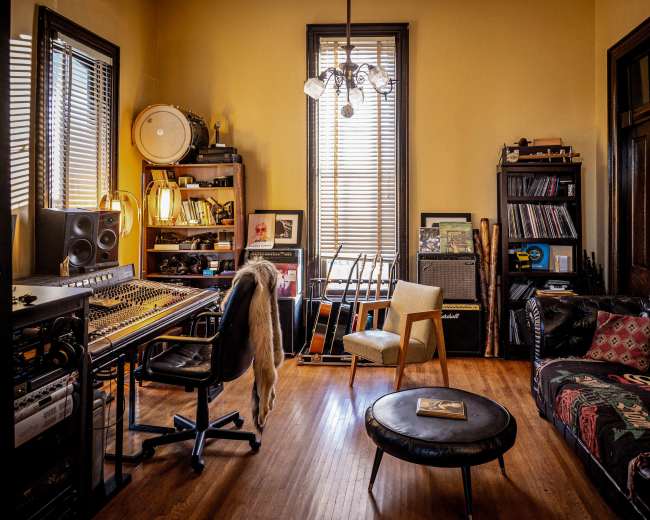
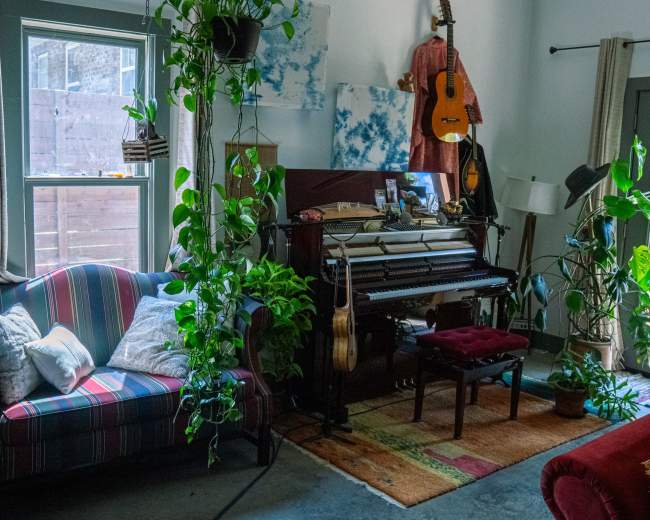
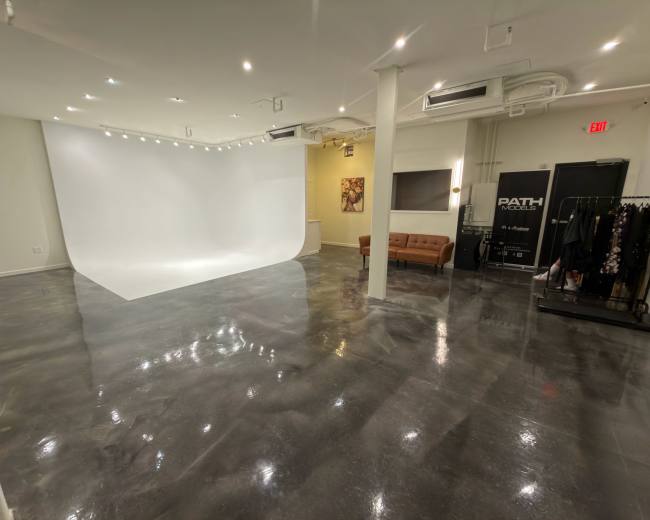
Rent a podcast studio in Nashville, TN

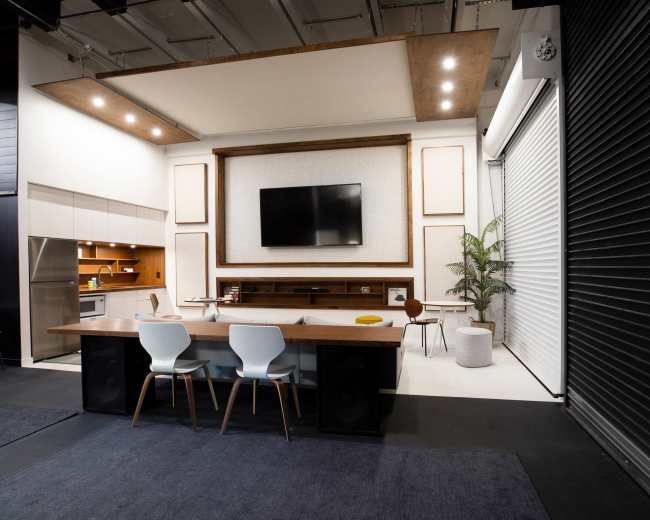
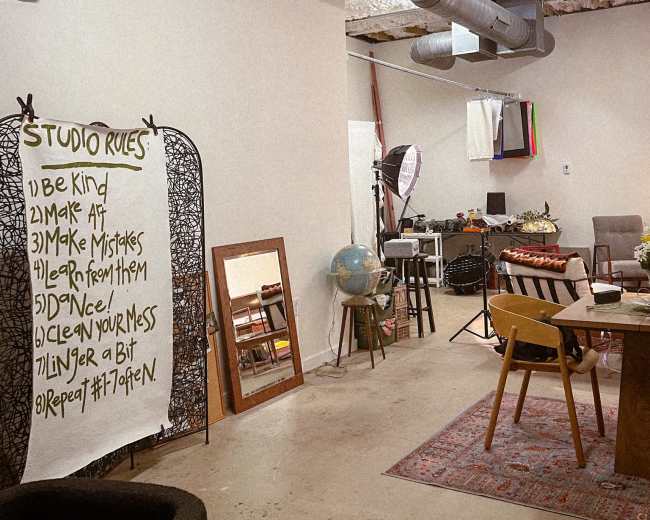
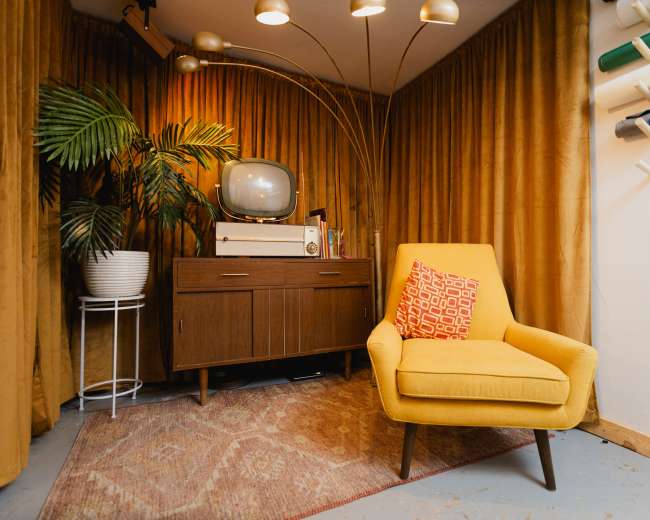
Discover thousands of unique podcast studios for rent for your next recording.

Enter your activity
Nashville, TN

How podcast rooms work on Peerspace

Peerspace is the easiest way to book unique for all kinds of productions including photo shoots, film shoots and music videos. We also have spaces for meetings and events.

The most locations

Every day we uncover new, inspirational spaces, including podcast rooms, perfect for your activity.

Professional hosts

Our network of helpful hosts respond quickly, and are well-versed in accommodating all types of productions, including film and photo shoots.

Hire by the hour

Only pay for what you need. Pay by the hour for your podcast room location without worrying about hidden fees or overtime.

Popular podcast studios

Do I need an engineer, or can I just show up and record?

In many cases, you can just show up and record at a turnkey podcast studio. Most renters are really asking whether the space is designed for a simple walk-in session where they can sit down, talk, and leave with clean files. The main distinction is straightforward:
  • Turnkey studio: The room, microphones, headphones, recording chain, and often file capture are already prepared for you.
  • Dry hire space: You're renting the room and gear, but you're responsible for running the session or bringing someone who can.
According to Music City Work Club, Nashville podcast studio options range from DIY access to fully supported sessions, and some providers now list specific equipment instead of relying on vague phrases. That helps renters understand the actual experience they're booking. You can usually show up and record without a separate engineer if these conditions are true:
  • Simple format: You're recording a solo episode, a host-and-guest interview, or a basic two-person show.
  • Audio-only session: You don't need live switching, multiple camera angles, or real-time social clips.
  • Fixed setup: The microphones stay in place, and you're not changing the room layout.
  • Built-in support: Someone has already checked levels, routing, headphones, and recording before you arrive.
  • Basic self-operation: You're comfortable pressing record, monitoring the session, and following a simple handoff process.
You should strongly consider studio support or an engineer if any of these apply:
  • Group recording: Three or more people on mic makes the session more complex quickly.
  • Video production: Cameras, lighting, framing, and synced audio add another layer of coordination.
  • High-stakes guest: If the guest matters, you don't want technical issues distracting you or costing you the best moments.
  • Remote participants: Call-ins, mix-minus, or virtual guests add more failure points.
  • First-time hosting: Your attention is better spent on pacing, chemistry, and questions than on troubleshooting.
  • Fast turnaround: If you need usable files right away, reliable support matters.
Before booking a podcast studio, ask these questions:
  • Booking type: Is this a turnkey session or a self-run rental?
  • Pre-session setup: Who sets levels and tests the gear before I arrive?
  • Recording responsibility: Who presses record and checks backup capture?
  • File delivery: What files do I receive after the session?
  • Troubleshooting: If something fails, who handles it?
  • Exact configuration: Can I see the actual microphone and camera setup I will use?
If you're still comparing options, browse options to see which spaces clearly outline their equipment, support level, and booking style before you commit. Watch for these red flags:
  • Vague language: If the listing says professional setup, but can't explain what's included, assume the support level is lower than you want.
  • No backup plan: A good podcast studio should be able to explain how it protects against file loss.
  • No delivery process: You should know how and when your audio or video files will be handed off.
  • Overconfidence without detail: If someone keeps saying it's easy, but cannot explain why, ask more questions.
If your goal is to remove technical stress, book a podcast studio built for a sit-down-and-talk experience, not just a room that happens to have microphones in it.

How do I choose between audio-only and video-ready spaces?

Choose based on how your show will actually be distributed, not on what sounds more impressive. If your podcast studio session is mainly for Spotify, Apple Podcasts, or internal company content, an audio-first room may be the smartest choice. If you plan to publish full episodes on YouTube, create short clips for social, pitch sponsors, or use the set as part of your brand, a video-ready space is usually worth it. This decision matters more than ever because many creators now want strong sound and strong visuals. Lagos Creative reflects the shift from audio-first to video-first podcasting, which matches how many renters are thinking today. Audio can still work well, but video often increases reach, discoverability, and guest shareability. Choose audio-only if your priorities are:
  • Lower production cost: You're paying for acoustics first, not cameras and set design.
  • Concept testing: You want to validate the show before investing more heavily in video production.
  • Long-form listening: Your audience is more likely to listen than watch.
  • Faster workflow: Audio is usually simpler to record, edit, and publish.
  • Guest comfort: Some guests are more natural when they're not on camera.
Choose video-ready if your priorities are:
  • Audience growth: Short clips often reach more people than full audio episodes alone.
  • Brand identity: The set becomes part of how your show looks and feels.
  • Guest promotion: Guests are more likely to share a polished visual clip than an audio link.
  • Sponsor value: Visual inventory is easier to package for partnerships.
  • Content efficiency: One session can produce a full episode, clips, thumbnails, and promotional assets.
The biggest mistake is assuming a beautiful room is automatically ready for video. It's not. A true video-ready podcast studio should offer:
  • Good acoustics: Great visuals don't make up for echo or poor sound.
  • Controlled lighting: You want consistent lighting, not harsh overhead fixtures or shifting daylight.
  • Clean sightlines: The room should allow good framing without clutter, cables, or awkward dead space.
  • Comfortable seating: Guests should look relaxed and feel relaxed.
  • On-brand background: The backdrop should match your tone, whether that's polished, cozy, creative, bold, or minimal.
  • Clear production process: You should know who runs cameras, what gets recorded, and how files are delivered.
If you're leaning toward video, consider video studios in Nashville so you can compare lighting setups, camera angles, and production workflows side by side. A useful decision filter is this question: if this episode turns out great, what do you wish you could do with it?
  • Audio answer: If you only want to publish the audio, choose audio-only.
  • Visual answer: If you want clips, visual branding, guest-friendly assets, or content to reuse across channels, choose video-ready.
Watch for these red flags:
  • Good-looking but echoey room: Hard floors, bare walls, glass, and open ceilings can hurt audio quality.
  • Good-sounding but flat room: That may work for audio, but it can feel sterile on camera.
  • Unproven video claim: If the listing says video-capable without showing real angles, ask for recent stills or sample frames.
  • Unclear workflow: If there is no mention of lighting, recording support, or file delivery, video can become a headache fast.
Audio-only is the right choice when you want simplicity and strong sound. Video-ready is the right choice when your podcast studio session also needs to produce visual brand assets.

What size setup works for a solo show or group chat?

The right podcast studio size isn't just about how many people fit in the room. It's about whether everyone can sound good, look good, and speak comfortably without feeling cramped. For a solo show, you usually need very little:
  • One mic position: A single well-placed microphone setup is often enough.
  • Small treated room: A compact, acoustically controlled space usually works well.
  • Basic table space: You need room for notes, a laptop, or a drink.
  • One camera angle: If you're filming, a single flattering angle may be all you need.
For a host-and-guest format, the sweet spot is often still compact. A slightly smaller room can feel better because it keeps the conversation intimate and makes clean microphone placement easier. For a three- or four-person roundtable, the setup changes quickly. This is where many creators outgrow a basic booth and start feeling the friction of limited space. Look beyond the posted capacity and ask about these details:
  • Mic comfort: How many people can be on mic comfortably, not just physically present in the room?
  • Table layout: Roundtable chemistry feels different from side-by-side seating.
  • Mic equality: Every speaker needs a strong microphone position.
  • Camera coverage: If you want clips, the room needs to frame everyone cleanly.
  • Conversation feel: A crowded room can make people stiff and less natural.
A practical rule is to size up one level from your headcount. If you have four voices and one producer, don't shop like you're booking for four. Shop like you're booking for five or six. A simple size guide looks like this:
  • Solo show: Small booth or compact studio.
  • Two-person interview: Small to medium podcast studio. If you're planning a filmed conversation, you can also book an interview filming to find spaces designed specifically for that format.
  • Three to four people: Medium room with a real roundtable layout.
  • Five or more on mic: Flexible studio or production room.
  • Panel with crew or audience: Event-style venue with recording capability, not a standard podcast studio booth.
That last point matters in Nashville. If you're planning a live taping, branded panel, or creator meetup, you may need a compact event space with podcast studio infrastructure rather than a traditional recording room. Once you add audience seating, sponsor moments, or extra cameras, the booking starts behaving more like an event. Watch for these red flags:
  • Chair count mismatch: The listing shows four chairs, but only mentions two microphones.
  • Misleading capacity: The stated capacity includes standing room, not seated recording comfort.
  • No overflow space: There's nowhere for bags, laptops, water, or a producer.
  • Tight seating: Shoulder-to-shoulder layouts can make conversation feel tense.
  • Limited camera room: The people fit, but the angles do not.
Bigger is not always better. Oversized rooms can create echo, reduce intimacy, and make people speak unnaturally loudly. The best podcast studio feels intentionally sized for your format.

Which Nashville areas are easiest for guests and parking?

The easiest area depends on who your guests are and what kind of arrival experience you want to create. If you're hosting local creators, a central Nashville podcast studio may feel most convenient. If you're bringing in executives, musicians, or out-of-town guests, parking and airport access may matter more than being in the trendiest neighborhood. In the Nashville market, many renters compare podcast studio options by more than aesthetics. They also look closely at location, reviews, arrival logistics, and parking. That makes sense. A great interview can lose momentum before it starts if your guest is circling the block, texting from a paid lot, or arriving stressed. Here's a practical neighborhood guide for Nashville:
  • Best for central access: Music Row, Midtown, Edgehill, Pie Town, and Wedgewood-Houston work well when guests are staying downtown or combining the session with meetings or other stops.
  • Best for easier driving: Berry Hill and parts of South Nashville often feel more practical for guests driving in or bringing gear. If that area appeals to you, explore recording studios here to compare options with dedicated parking and easy load-in access.
  • Best for airport convenience: Donelson and airport-adjacent areas are useful for out-of-town guests or tight schedules.
  • Best for creative atmosphere: East Nashville can be a strong fit when brand vibe matters, but parking and access vary significantly by block. Explore recording studios in this neighborhood to see which spaces offer the creative feel you want along with practical arrival details.
  • Best for wider search flexibility: Franklin and Hermitage can be worth the drive if the podcast studio quality, hospitality, or support level is stronger.
The biggest mistake is choosing by neighborhood name alone. Two podcast studio rentals in the same area can feel completely different in real life. Before booking, ask these practical questions:
  • Parking type: Is parking dedicated, validated, or street-based?
  • Spot count: How many spaces are actually available?
  • Rideshare access: Is drop-off simple and obvious?
  • Load-in path: Are there stairs, elevators, or long hallways to deal with?
  • Waiting space: Can a guest arrive early and wait somewhere comfortable?
  • Building access: Is the location easy to find on the first try?
If you're hosting a high-profile guest, make the arrival process frictionless:
  • Clear instructions: Send simple arrival directions in advance.
  • Parking details: Share exactly where to park before the session.
  • Nearby amenities: Choose a location with coffee, seating, or a waiting area nearby.
  • Schedule buffer: Leave enough time so no one feels rushed.
Watch for these red flags:
  • Parking available claim: The listing says parking is available, but it only means street parking.
  • Confusing access: The host cannot clearly explain how to enter the building.
  • Difficult unloading: The studio is central, but there's no realistic plan for gear load-in.
  • Stressful location: The neighborhood is trendy, but the arrival experience is chaotic.
If guest experience matters, choose the Nashville podcast studio location that makes arrival easy, not just the one that looks best in search results.

Should I rent a studio or use a home or park instead?

If your main goal is reliable, professional recording, rent the podcast studio. A home can work, and a park can look visually interesting, but both usually introduce more unpredictability than first-time podcasters expect. Rent a podcast studio when you care most about:
  • Clean audio: A studio gives you more control over sound quality.
  • Guest-ready environment: The setting feels more professional and easier to host in.
  • Consistent results: You can repeat the same process from session to session.
  • Polished visuals: If you're filming, the environment is usually more camera-ready.
  • Less technical guesswork: You spend less time solving problems and more time recording.
  • Repeatable workflow: The setup is easier to use again for future episodes.
A home setup can make sense when these conditions are true:
  • Early testing stage: You're still validating the show concept.
  • Casual format: The podcast is intentionally personal or low-pressure.
  • Existing gear: You already own decent microphones and basic recording equipment.
  • DIY comfort: You're comfortable managing setup, timing, and noise control yourself.
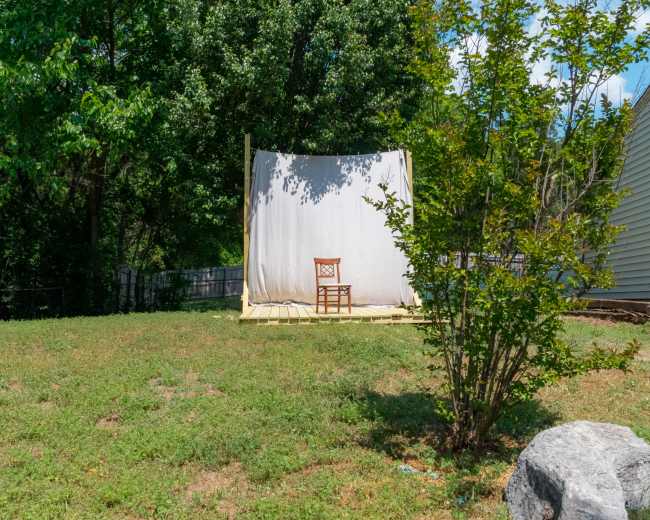
A park is usually only worth it when the location is part of the concept:
  • Concept-driven setting: The environment is essential to the show's identity.
  • Visual-first goal: The outdoor look supports the brand in a meaningful way.
  • Tradeoff awareness: You understand that wind, traffic, passersby, and changing light can affect quality.
The hidden issue with homes and outdoor locations is that you often have to solve everything yourself. That can include power, permissions, lighting, seating, cooling, backup batteries, cleanup, and weather planning. What seems free at first can become expensive in time, stress, and rescheduling. In Nashville, many podcast studio rentals sit in a practical middle range that's more accessible than first-time hosts expect. If you want a creative environment that still feels relaxed and residential, you can also find content houses in Nashville that blend a home-like atmosphere with better production readiness. Once you compare the rental cost with the cost of buying gear, losing time to bad audio, or rebooking a guest, a studio often becomes the better value. A nontraditional location can still work if you choose carefully. Look for:
  • Softer acoustics: Furnishings and surfaces that reduce echo.
  • Privacy: A space where interruptions are unlikely.
  • Reliable power: Enough outlets and stable power for your setup.
  • Easy parking: A simple arrival process for hosts and guests.
  • Clear permissions: Confirm that filming and recording are allowed.
  • Brand fit: Make sure the setting improves the content rather than distracting from it.
Watch for these red flags in homes or outdoor spaces:
  • Uncontrolled noise: You can't manage traffic, neighbors, HVAC, or crowd noise.
  • No weather backup: There's no indoor alternative or rescheduling plan.
  • Poor guest support: There's no restroom, waiting area, or comfortable place to reset.
  • Unclear permission: You don't have explicit approval to record there.
  • Beautiful but impractical setting: The location looks great but creates technical problems.
If you want the simplest answer, use a home setup for experimenting, use a park only when the concept truly requires it, and rent a podcast studio when you want confidence and consistency.
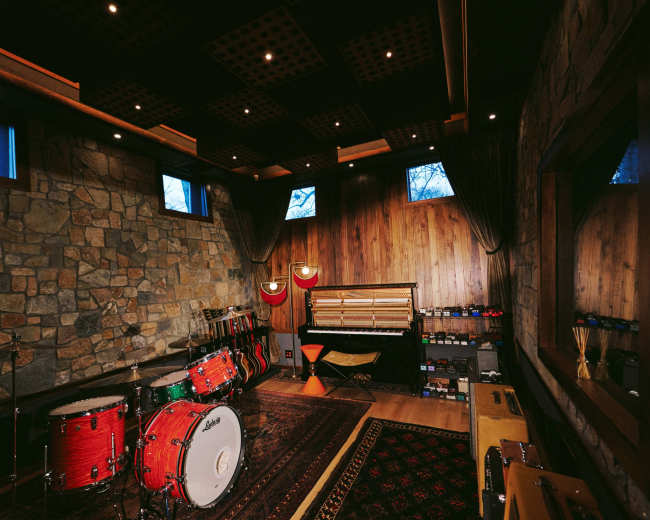
What should I ask before booking a podcast studio rental?

Think of this as your pre-booking filter. The goal isn't just to confirm that the room exists. The goal is to find out whether the podcast studio fits your format, skill level, guests, and budget without surprises. Start with the questions that remove the most uncertainty:
  • Included equipment: What exactly is included in the booking, such as microphones, headphones, interfaces, cameras, lighting, operators, and file handoff?
  • Booking style: Is this turnkey or self-run?
  • Comfortable capacity: How many people can record comfortably on mic?
  • Best use case: Is the space better for audio-only, video, or both?
  • Delivered files: What files will I receive after the session?
  • Backup system: Is there a backup recording process?
  • Real-world noise: How quiet is the room during actual sessions, including street noise, HVAC, neighboring tenants, and peak hours?
  • Arrival logistics: What do parking and building access look like?
  • Timing needs: How much time should I book for setup and wrap?
  • Overtime policy: What happens if the session runs long?
  • Cancellation policy: What are the rules for canceling or rescheduling?
  • Recent examples: Can I see recent photos or clips from the exact setup I am booking?
Then ask the questions that protect session quality:
  • Lighting control: Can the lighting be adjusted?
  • Background options: Can the set be changed or branded?
  • On-site support: Is there a producer or support person available if something goes wrong?
  • Guest comfort: Is there a waiting area if my guest arrives early?
  • Food and drinks: Are refreshments allowed in the space?
  • Internet access: Is there Wi-Fi for remote guests, uploads, or livestream tools?
Use these red-flag checks when comparing options:
  • Fast but vague replies: The host responds quickly but doesn't answer clearly.
  • Premium language without specifics: The listing sounds impressive, but gives no operational detail.
  • Missing workflow details: There's no discussion of backups, delivery, or production process.
  • Generous capacity claim: The occupancy sounds large, but the layout sounds cramped.
  • Style over function: The room looks good, but nobody can explain how it sounds.
If you want a simple comparison framework, judge every podcast studio on these six factors:
  • Format fit: Does the room work for the type of show you make?
  • Ease of use: Can you realistically run the session without stress?
  • Guest comfort: Will your guest feel welcome and relaxed?
  • Audio reliability: Can the room consistently produce clean sound?
  • Visual quality: If you're filming, does the room look good on camera?
  • Total cost: What will you actually pay once extras are included?
Pro tip: If you're booking through Peerspace, use the Message Host feature before you commit and keep all details on-platform. That gives you a clear record of what was promised, helps you confirm access and equipment details early, and reduces surprises later. It's also smart to book enough time for setup and teardown, not just recording time, because overtime charges can be added if you run long. A strong final question is this: what usually catches first-time renters off guard here? A good host will answer honestly, and that answer can tell you a lot about the podcast studio experience.
Updated July 9, 2026Our data is refreshed in real time using booking trends, verified guest reviews, and direct partner updates — with additional quality checks from our team.